Fifty-five matches unfold across eight venues, straddling two nations, playing out during thirty days of nonstop cricket. Running from February 7 to March 8 in 2026, the ICC Men's T20 World Cup lights up India and Sri Lanka - wherever you're tuned in, be it deep inside Ahmedabad's massive stadium or sipping tea at a sidewalk spot facing Galle Face Green, solid phone signal makes the difference between ease and hassle. Missed pickups, wrong turns in new streets, broken video streams, failed uploads to family - each stumbles without stable internet. Before wheels leave the tarmac, a travel eSIM already solves that.
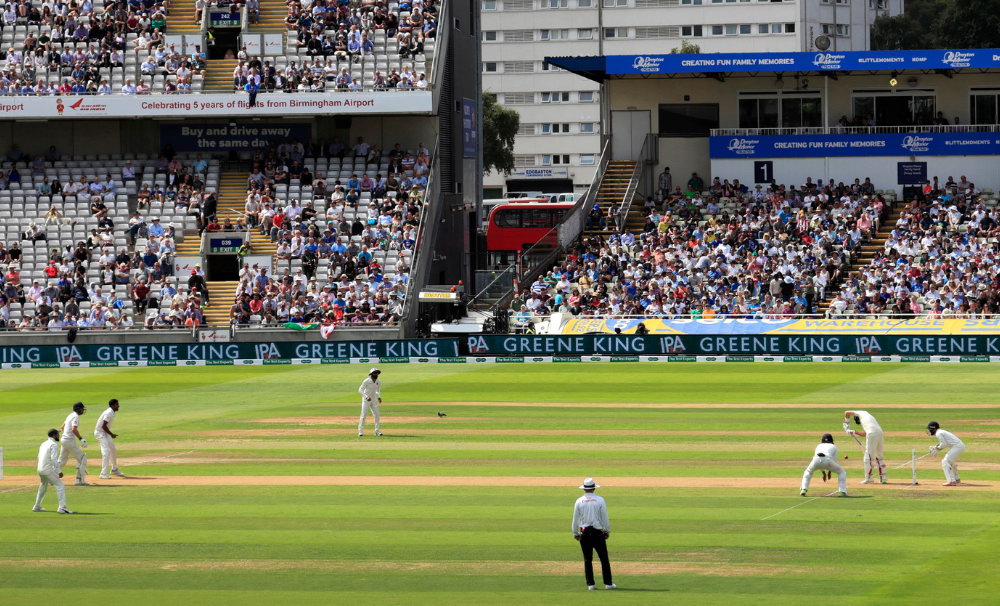
Stay connected at the World Cup
The T20 World Cup spans India and Sri Lanka. Grab separate eSIM plans for each country and switch between them on arrival.
India eSIM plans Sri Lanka eSIM plans Check eSIM compatibilityQuick checklist
- Confirm your phone supports eSIM
- Make sure your device is unlocked
- Buy India + Sri Lanka eSIMs before travel
- Label each eSIM profile clearly
- Enable data roaming on arrival
- Pack a power bank for match days
T20 World Cup 2026 Venues: Where the Matches Happen
When traveling between India and Sri Lanka, network differences pop up. Coverage shifts from one country to another. Each location runs on its own system. A plan that works in one spot might fail in the next. Separate eSIM setups could be necessary. The way signals travel varies across borders. Planning ahead helps avoid dead zones. One size never fits all here.
India hosts five grounds. Hosting major games, Narendra Modi Stadium in Ahmedabad could see the final unfold on March 8. Filled with roaring crowds, Eden Gardens in Kolkata pulses with unmatched intensity. Knockout drama arrives at Wankhede Stadium in Mumbai, where one semifinal takes place. In New Delhi, Arun Jaitley Stadium joins the lineup alongside M.A. Chidambaram Stadium out in Chennai, wrapping up the Indian stretch. Each of these places ranks high on size and connectivity across the country - that means solid phone signals near every stadium.
Sri Lanka contributes three venues. In Colombo, crowds gather at R. Premadasa Stadium along with the SSC Cricket Ground - these two see group stage battles plus Super 8 rounds. Away from the coast, tucked into highland terrain, lies Pallekele Cricket Stadium in Kandy. Matches involving Pakistan happen only within Sri Lanka's borders, thanks to a separate ICC-backed arrangement. Following Pakistan's path or tracking every game in Super 8 Group 2? Then expect days split between Colombo and that misty town of Kandy.
Why a Travel eSIM Beats a Local SIM for Cricket Fans
Midway through the event, moving between India and Sri Lanka messes up phone service if relying on regular SIM cards. Landing in either place usually means buying another card, which eats into your schedule. It adds expense too, beyond what feels fair. Then there is crouching in shuttle lines fumbling to switch out little plastic pieces, hunting for that lost tray pin that slipped behind the luggage footrest.
One tap away, an eSIM cuts out the hassle. Buy an India eSIM data plan ahead of time, load it by scanning a QR code, then land in Mumbai, Delhi, or Chennai - your phone works straightaway. Headed to Colombo weeks later for a semifinal match? Slip in a Sri Lanka eSIM too. Two separate profiles sit quietly in your device, ready whenever you choose one with just a few nudges in the menu.
Telefy lets you pick up eSIM plans for India or Sri Lanka before flying out. Skip the app downloads, skip sign-ups - just scan a QR code and it's ready within minutes. Activation happens only when arriving at your destination, so purchasing early won't eat into usable days. Weeks ahead is fine, yet every day counts once there.

Mobile Coverage at Indian Cricket Stadiums
Reliance Jio and Bharti Airtel shape how people use phones in India. Starting strong with 4G, Jio now pushes ahead rolling out 5G in big cities. Airtel keeps pace on download speeds, yet frequently edges past Jio when sending data up. Far behind both stands Vodafone Idea, struggling to hold ground. Visitors using travel eSIMs usually ride either Airtel's or Jio's networks while moving through the country.
Stadiums lit up with extra gear when the 2023 Cricket World Cup hit town - fans flooded apps, videos, chats all at once. Not caught off guard, providers rolled in short-term masts where crowds swelled. Smooth streams mattered more than ever that year. Come 2026, count on repeats - live connections are non-negotiable now. Indian planners treat signal strength like seating or scoreboards. Networks get just as much attention before the first ball is bowled.
Reliable 4G works well near and within the five main stadiums. While 5G spots appear in each of those cities, actual access inside arenas changes based on your network provider and phone model. Once you step outside, places like hotels, train stations, eateries, and sightseeing zones in Delhi, Mumbai, Chennai, Kolkata, and Ahmedabad keep solid signal strength. Navigation via Google Maps flows smoothly, ride bookings through Uber or Ola go off without hiccups, WhatsApp remains steady - just make sure your eSIM data plan is up to speed.
Mobile Coverage Across Sri Lanka During the World Cup
Out in Sri Lanka, cell service doesn't mirror India's setup. Leading the pack is Dialog Axiata - its reach stretches furthest, its pace tops all others. Close by come Mobitel and then Hutch, both trailing slightly. Visitors using travel eSIMs usually land on networks run by either Dialog or Mobitel.
Out in Colombo, both match sites enjoy steady 4G signals across town. Most hotels tucked into Fort, Pettah, or Bambalapitiya catch strong reception, just like those close to R. Premadasa Stadium. Travel inland about three hours and you'll hit Kandy - there, downtown spots hold fast connections, especially near Pallekele Cricket Stadium.
Out past city edges, signals grow fainter. Heading toward Kandy from Colombo means winding up mountain paths where connection sometimes fades. Riding the well-known rail route - yes, those views are stunning - can mean short blackouts in tunnels or deep between hills. Yet once you're within either Colombo or Kandy, a travel eSIM keeps working just fine.
Get connected before the first match
Pick an India or Sri Lanka eSIM plan - 4G/5G speeds, hotspot included, no app needed.
India eSIM plans Sri Lanka eSIM plansHow Much Data Does a Cricket Trip Actually Burn Through?
A full month of games can add up fast in data. Picture how much your phone does when a match is live.
Getting to the stadium with map directions, booking a three-wheeler via phone app, texting your friends on WhatsApp about where to sit - this is just normal now. Between games, you watch real-time scores pop up, scroll through posts when play stops for rain, send pictures and quick clips from the stands, then later stream replay highlights from your room after returning. It piles up without notice.
A few games in a week or two? Five to ten gigabytes handles that without issue. When the event stretches across nations for thirty days, data demands climb - especially with video calls or hotspot tethering in play. Ten gigs might not stretch far under those conditions. Those working remotely while following matches need to aim much higher.
Start with Telefy's India eSIM plans - pick one based on how much data you need and how long you'll stay. Headed to Sri Lanka too? Tack on a Sri Lanka eSIM when your trip jumps borders. Match each plan's duration exactly to the days you're there, no guesswork needed.
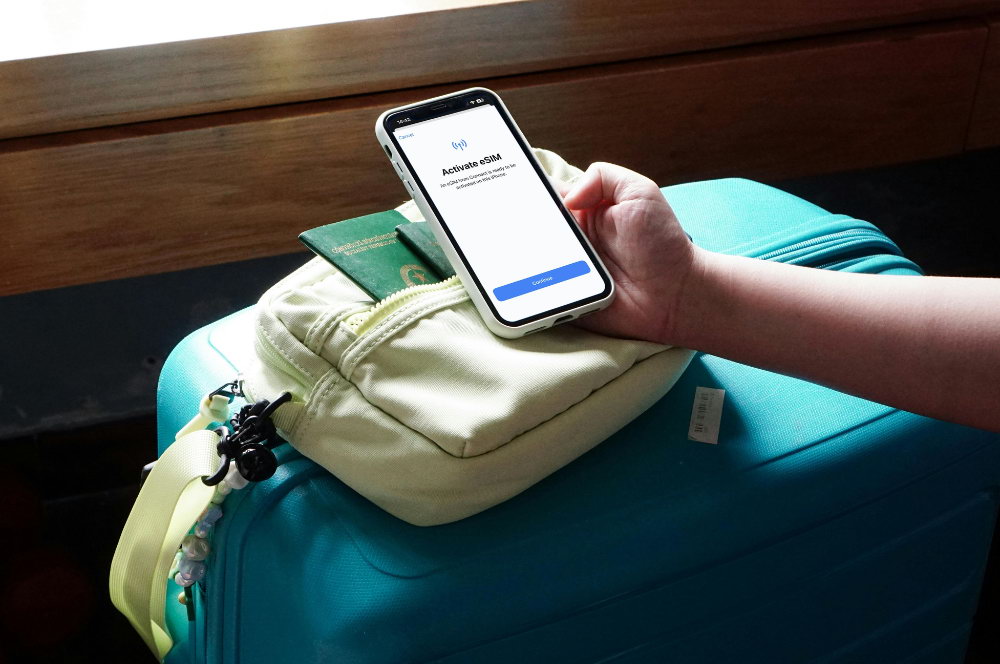
Setting Up Your eSIM Before the Tournament
Start here instead of waiting until you land. Pick either country - India, Sri Lanka, or go ahead with both - the steps stay unchanged.
Start by checking whether your device supports eSIM technology. Phones like the iPhone XS and newer ones work, along with Samsung's S20 series plus anything after that. Google Pixel phones support it too, alongside several Xiaomi and Motorola versions. Being carrier-unlocked matters just as much - phones tied to a single provider won't cut it.
Start at Telefy, choose the plan fitting your travel path. Once bought, a QR code shows up inside your account area. Pull open phone settings - iPhones head to Cellular, select Add Cellular Plan; Samsung devices move via Connections, into SIM Manager, hit Add eSIM. Bring up the camera, scan the QR code, step through what comes next. Name every profile with clear tags. Try labels such as "India cricket" or "Sri Lanka cricket" - makes shifting across borders smoother.
When you get there, turn on data roaming for the eSIM that's ready to go. Connection usually kicks in after a few minutes pass. Going to the other country later? Shut down the current eSIM line inside settings before starting the next. Flip data roaming on again - signal locks once wheels touch ground.
Stadium-Day Tips for Keeping Your Phone Alive and Connected
When matches light up stadiums across India and Sri Lanka, phones drain fast. So do internet links. Crowds of fans swarm the same cell towers, especially when sixes fly or batters lose their stumps. Power surges in play stretch signals thin. Shifting how you use apps eases the load. Waiting a beat after key plays before sending messages helps too.
When you head out for the game, grab those offline maps of the stadium zone plus where you're staying first. That setup keeps navigation working on screen even when signals get messy once crowds pile in.
When 130,000 fans at Narendra Modi Stadium try to post that Hardik Pandya six at once, your phone fights for scraps. So stop apps from updating themselves or using background data if they're not essential. Each megabyte makes a difference then.
Finding yourself away from an outlet is easy when games run late, so keep a power bank handy. Travel eats up hours. Games stretch longer than expected. Even after the final whistle, there's still footage to share - all of it drains screens fast. When juice runs out, even top-tier data plans won't help.
When you're away from a secure network, shut down Wi-Fi scanning. Your phone might keep stumbling at stadiums, chasing weak public Wi-Fi it can't hold - each failed attempt saps power, wears down mood.
Your Regular Phone Number Stays Active During the Trip
Right now, your regular SIM keeps doing its job just fine. Meanwhile, the eSIM runs beside it as a separate data line - that's the beauty of dual SIM. Instead of replacing your current setup, it adds a different way to connect online. Your usual calls still go through the original line, along with messages and contact details. Not even close to interfering, it leaves your home number completely untouched. Only task? Supplying mobile data whenever you need it. There is no extra voice number tied to it - especially not one from India or Sri Lanka.
Most people in India and Sri Lanka stick to WhatsApp when talking locally. Whether it is hotels, cabs, travel guides, or strangers bumping into each other at matches - messages fly through WhatsApp. So long as the eSIM keeps feeding data, voice chats on WhatsApp, FaceTime, or Telegram run smoothly. Connection holds, everything runs quiet and clear.
Troubleshooting Connection Problems on Arrival
When the plane touches down, the eSIM is set up, then data roaming switches on - yet there's still no sign of service. Instead of worrying right away, start with what's simple.
Most times, flipping airplane mode helps straight off. Turn it on, wait till you hit ten, then turn it back off. Let the device sit for thirty seconds while it hunts for signal. That quick restart often kicks the link back to life without fuss.
Look inside your phone's settings to see if the eSIM line is picked for internet use. After flying, coming out of airplane mode might switch things back without warning. The device could go back to using the original SIM automatically. Open the mobile network menu to spot which one runs the data now. One glance tells you where it stands.
No sign of service yet? Try turning the device completely off. Wait ten seconds. Switch it back on. A clean boot often helps when stepping into a different nation. Networks sometimes require a fresh scan like this. Should things stay broken after five minutes, get in touch with Telefy's support team. They can walk through fixes step by step.
Why Telefy Works Well for Multi-Country Cricket Trips
One nation today, another tomorrow - that kind of trip needs an eSIM provider who keeps up. Telefy sets things straight: distinct data plans for India and Sri Lanka live together on your phone, waking up only once you land in either place. Skip the app downloads. Forget constant monitoring. Say goodbye to long sign-up steps.
One moment you're relying on 4G, the next you've switched to 5G without thinking. Built-in hotspot tethering might seem small - yet imagine handing off your signal to a friend stranded post-match when their screen goes black. Think about uploading images during deadline chaos from a cramped media seat, linked by that same connection. What feels optional suddenly holds everything together.
Twelve months from purchase date keeps activation alive. Plans can lock in today, despite unclear trip timing. Schedules move around? Ticket details swap out? The eSIM holds tight, waiting till departure clicks into place.
Heading off to the T20 World Cup? Grab an India eSIM or a Sri Lanka eSIM through Telefy before takeoff. Once you land, your phone works straight away - right when everything feels overwhelming.
Ready for the T20 World Cup 2026?
Get your eSIM sorted before the first ball is bowled.
India eSIM Sri Lanka eSIM


